Paradesk vs spreadsheets and email
Many engineering and architecture projects still run on spreadsheets and email. They're free, flexible, and familiar to everyone. Here's what they handle well and where they start to cost you time.
Free for 14 days, with every feature included.
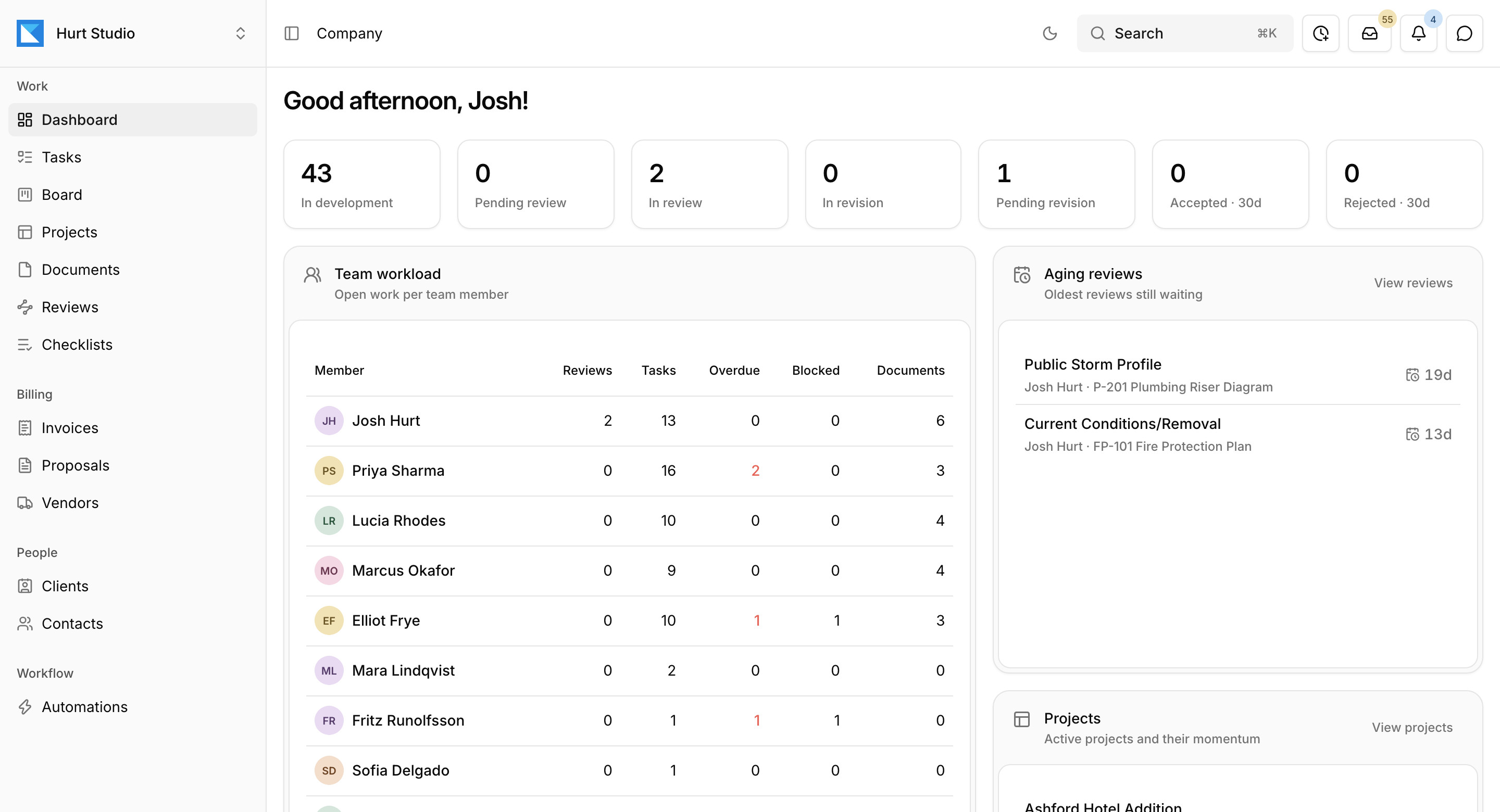
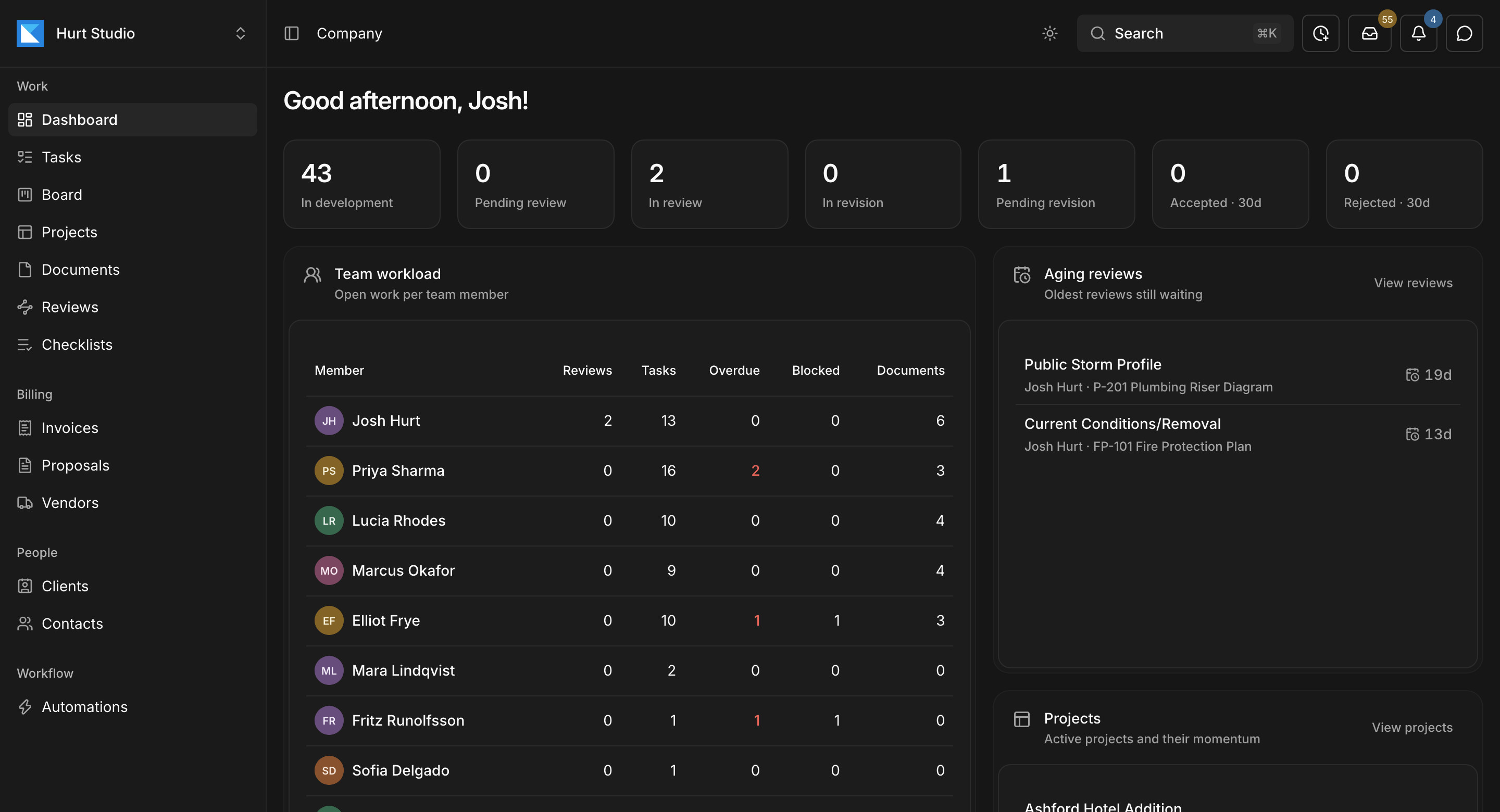
What spreadsheets and email do well
Where they fall short
- A tracker is only as current as the last person who updated it.
- Review comments live in PDFs, decisions live in email, and versions are tracked by filename.
- Outside reviewers often print, mark up, scan, and email back a file nobody can search.
- Invoices get rebuilt each month from timesheets and the contract.
Feature comparison
| Capability | Paradesk | Spreadsheets and email |
|---|---|---|
| Cost | Per seat, with every feature included | Free |
| Training | Some | None |
| Document status | Pulled from the documents and reviews | Updated by hand |
| Review record | Checklist decisions with markups and names | Comments in PDFs and email threads |
| Versions | Every revision kept with the document | Tracked by filename |
| Outside reviewers | Emailed link, no account | Email attachments |
| Invoices | Drafted from the contract and approved work | Rebuilt by hand |
| Client email | Sent to the project's, client's, or contact's own address, in one inbox for the firm | Spread across each person's mailbox |
| Requests in email | Suggested as tasks or task changes for someone to apply | Retyped into the tracker |
| Finding an old message | Searchable with ⌘K, alongside projects and documents | Search each person's mailbox |
| Proposals and change orders | Drafted by the assistant or an automation, for your team to review | Written from scratch or copied from the last one |
Cost
- Paradesk
- Per seat, with every feature included
- Spreadsheets and email
- Free
Training
- Paradesk
- Some
- Spreadsheets and email
- None
Document status
- Paradesk
- Pulled from the documents and reviews
- Spreadsheets and email
- Updated by hand
Review record
- Paradesk
- Checklist decisions with markups and names
- Spreadsheets and email
- Comments in PDFs and email threads
Versions
- Paradesk
- Every revision kept with the document
- Spreadsheets and email
- Tracked by filename
Outside reviewers
- Paradesk
- Emailed link, no account
- Spreadsheets and email
- Email attachments
Invoices
- Paradesk
- Drafted from the contract and approved work
- Spreadsheets and email
- Rebuilt by hand
Client email
- Paradesk
- Sent to the project's, client's, or contact's own address, in one inbox for the firm
- Spreadsheets and email
- Spread across each person's mailbox
Requests in email
- Paradesk
- Suggested as tasks or task changes for someone to apply
- Spreadsheets and email
- Retyped into the tracker
Finding an old message
- Paradesk
- Searchable with ⌘K, alongside projects and documents
- Spreadsheets and email
- Search each person's mailbox
Proposals and change orders
- Paradesk
- Drafted by the assistant or an automation, for your team to review
- Spreadsheets and email
- Written from scratch or copied from the last one
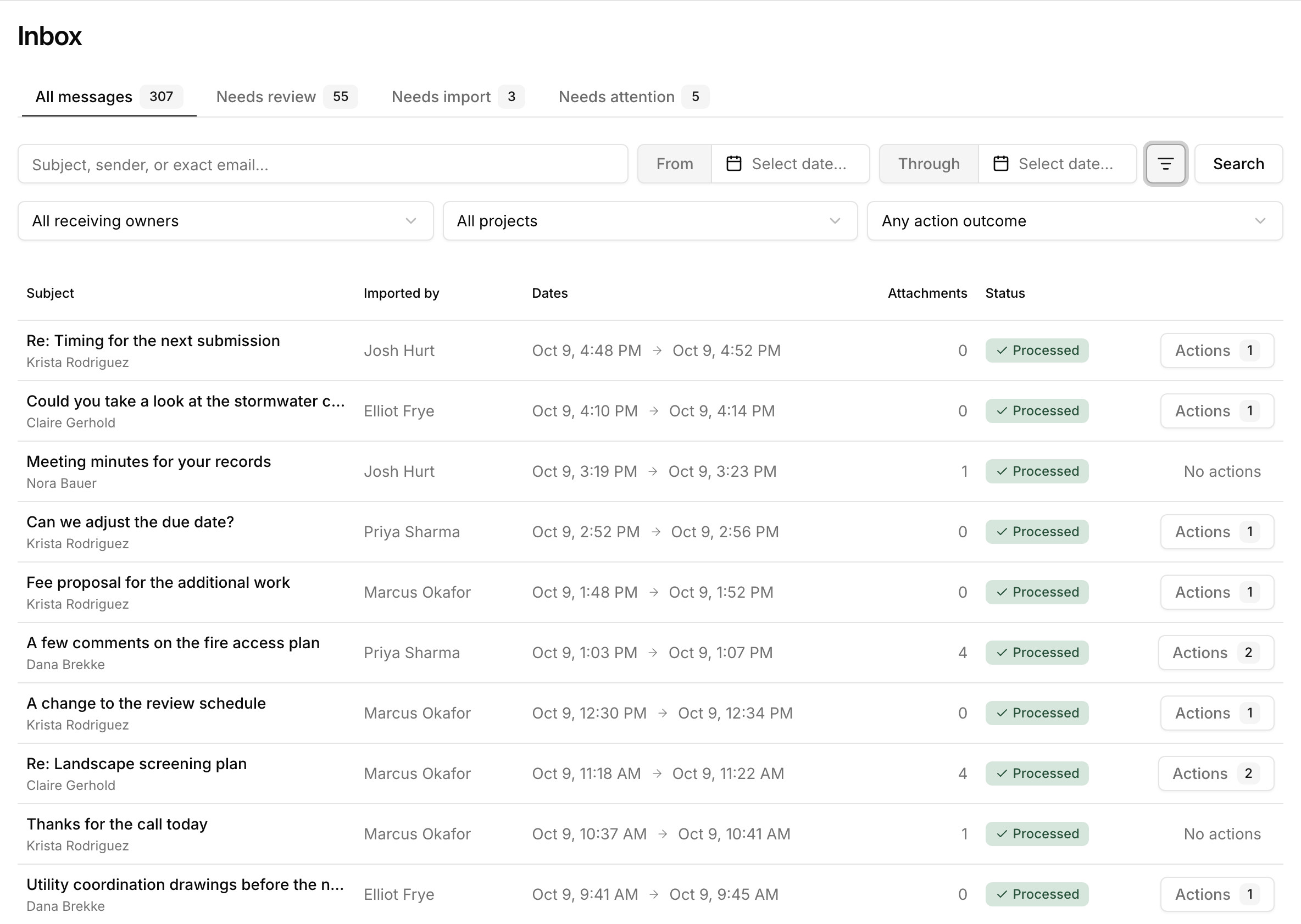
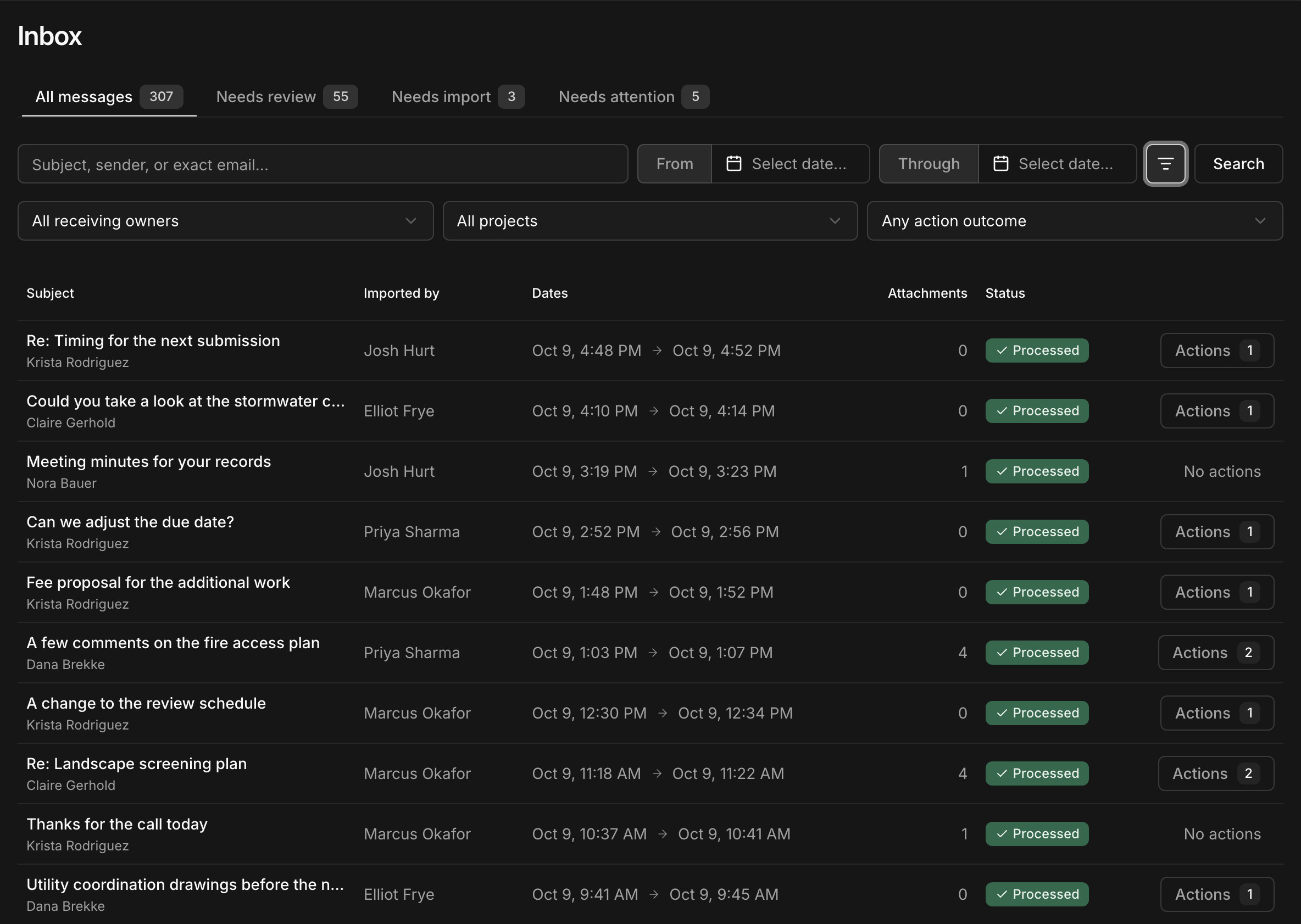
Client email stays with the project it's about
Give each project, client, and contact its own address, and copy or forward mail to it from any email account. Everything your team imports lands in one inbox for the firm, where anyone on the project can find it.
Paradesk reads each message and its attachments and suggests the tasks it asks for, and automations can draft the change order a client is asking for.
When spreadsheets are enough
A solo practice with no review step, or a firm working on one project at a time, may never need more than a spreadsheet.
Once there are more projects than people can keep track of, try a comparison: put one project's next set through a checklist review in Paradesk and compare the week with the last one.
More comparisons
Try Paradesk on a project you're working on now
Set up a project with its contract and phases, invite your team, and give the assistant some of the routine work. Your first 14 days are free, with every feature included.