Project management, billing, and intelligent assistants for engineering and architecture firms
Run projects and billing in one place, with assistants that handle the routine work, so a small team can do more with less.
Free for 14 days, with every feature included.
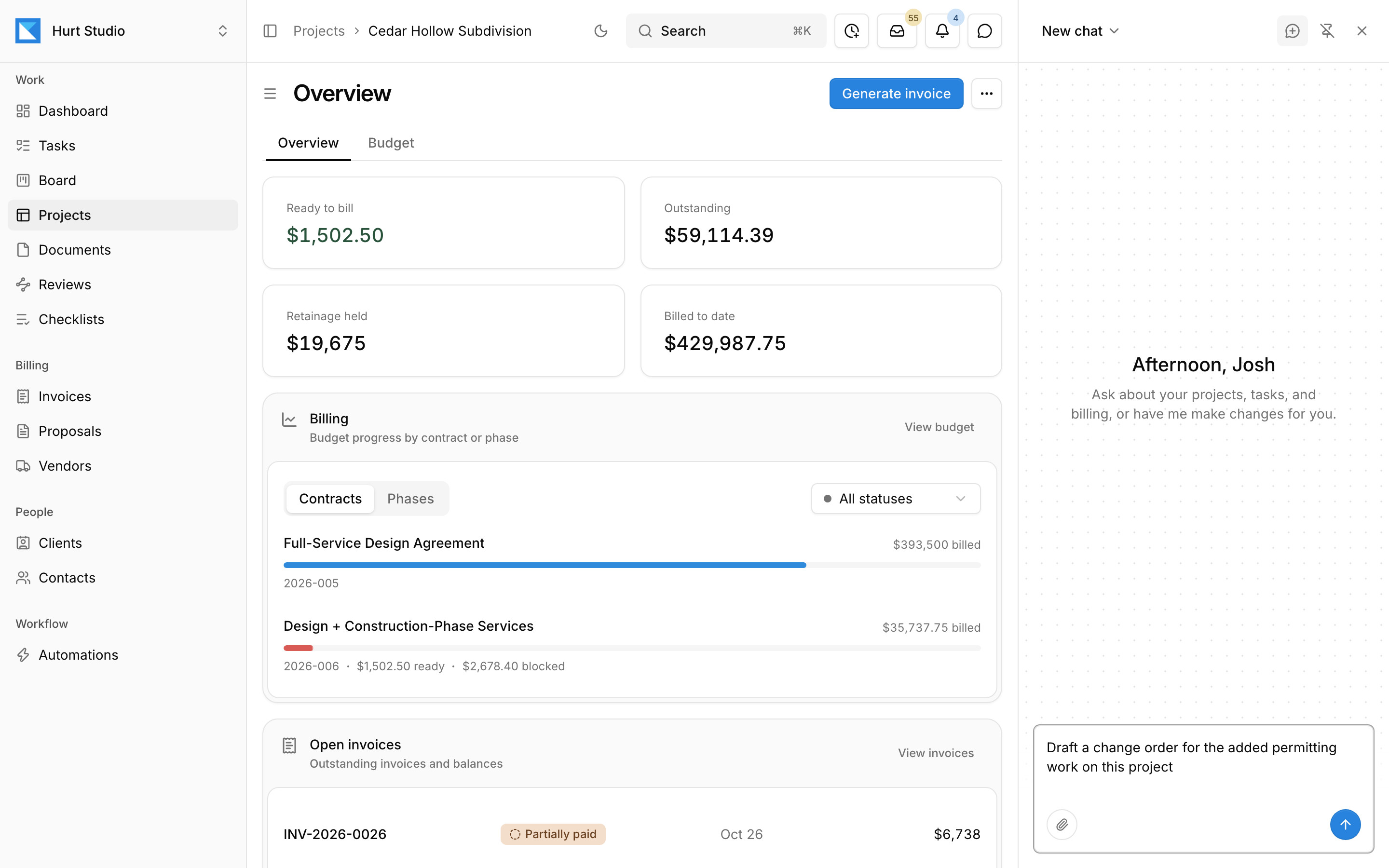
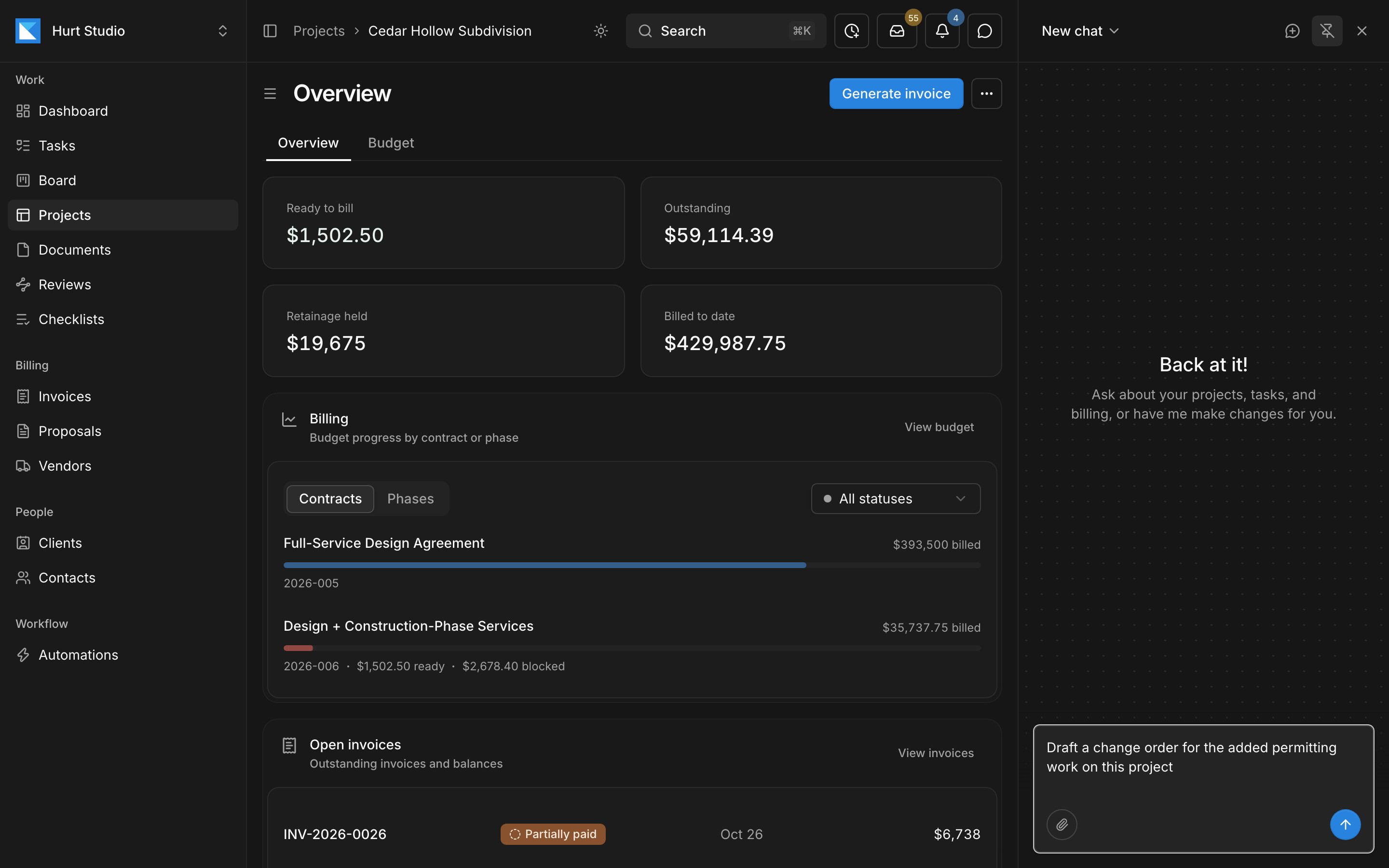
- 1Each project shows what's ready to bill, what's outstanding, and the retainage held.
- 2Billing progress for each contract and phase, kept current from your invoices.
- 3Ask the assistant to draft a change order, invoice, or proposal. It works from the project's own contracts and records.
- Civil
- Structural
- Geotechnical
- Environmental
- MEP
- Transportation
- Water and wastewater
- Architecture
- Design-build
- Construction management
- Government and municipal
Stop chasing status across spreadsheets, inboxes, and PDFs
If your firm tracks work in a spreadsheet, retypes client email into to-do lists, and rebuilds invoices from timesheets each month, this is what changes.
| Today | With Kineo |
|---|---|
| Someone updates the tracking spreadsheet before the Monday meeting. | Dashboards pull status from the documents, tasks, and reviews, so they're current whenever you look. |
| Client requests arrive by email, and someone retypes them as to-do items. | Mail sent to a project's own address goes into one inbox for the firm, where the assistant suggests the tasks to create. |
| Extra work starts before anyone writes the change order. | An automation can prepare a draft change order when a client email asks for work outside the scope. |
| Invoices get rebuilt from timesheets at the end of every month. | Kineo drafts each invoice from the contract and the hours and expenses you've approved. |
| Redlines sit in PDFs on someone's drive, and reviews move along when someone forwards an email. | Markups stay on the drawing under the checklist item they relate to, any markup can become a task, and each review follows a route you set once. |
Start each day with what needs you
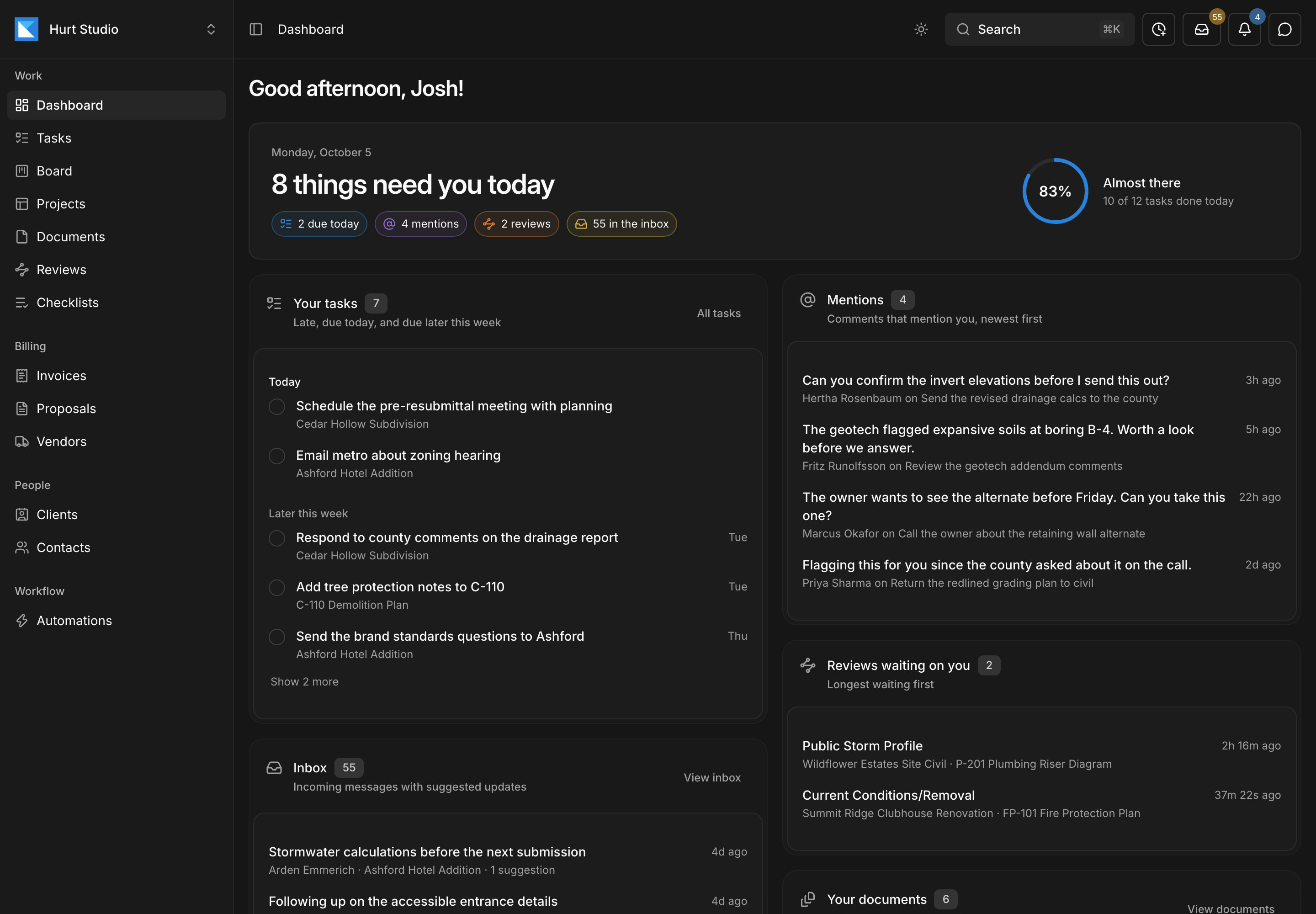
The Today dashboard counts what's waiting on you: tasks due, comments that mention you, reviews to do, and email with suggested updates. Each has its own list below, and a ring shows how much of the day's work is done. The company dashboard shows where every document stands across the firm, and who has what.
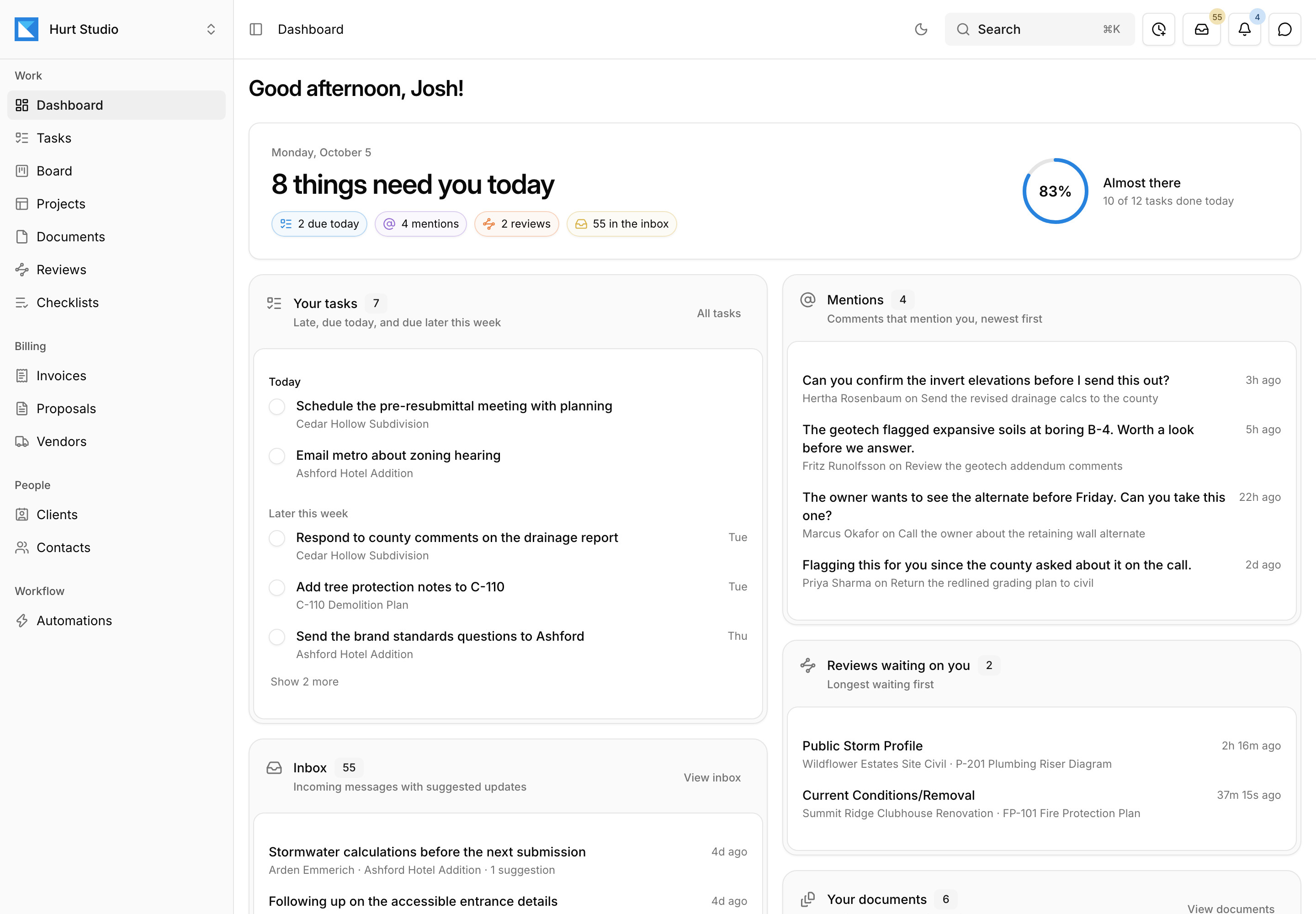
- 1Tasks due, mentions, reviews, and email, counted in one line.
- 2How much of today's work is done.
- 3Your tasks that are late, due today, or due later this week.
- 4Comments that mention you, newest first.
Invoice by phase and sync it to QuickBooks Online
Each contract holds its phases, fee lines, rates, and retainage percentage. At billing time, Kineo drafts the invoice from percent complete plus approved hours and expenses, and holds back anything that would push a phase over its budget. Invoices and payments then sync to QuickBooks Online.
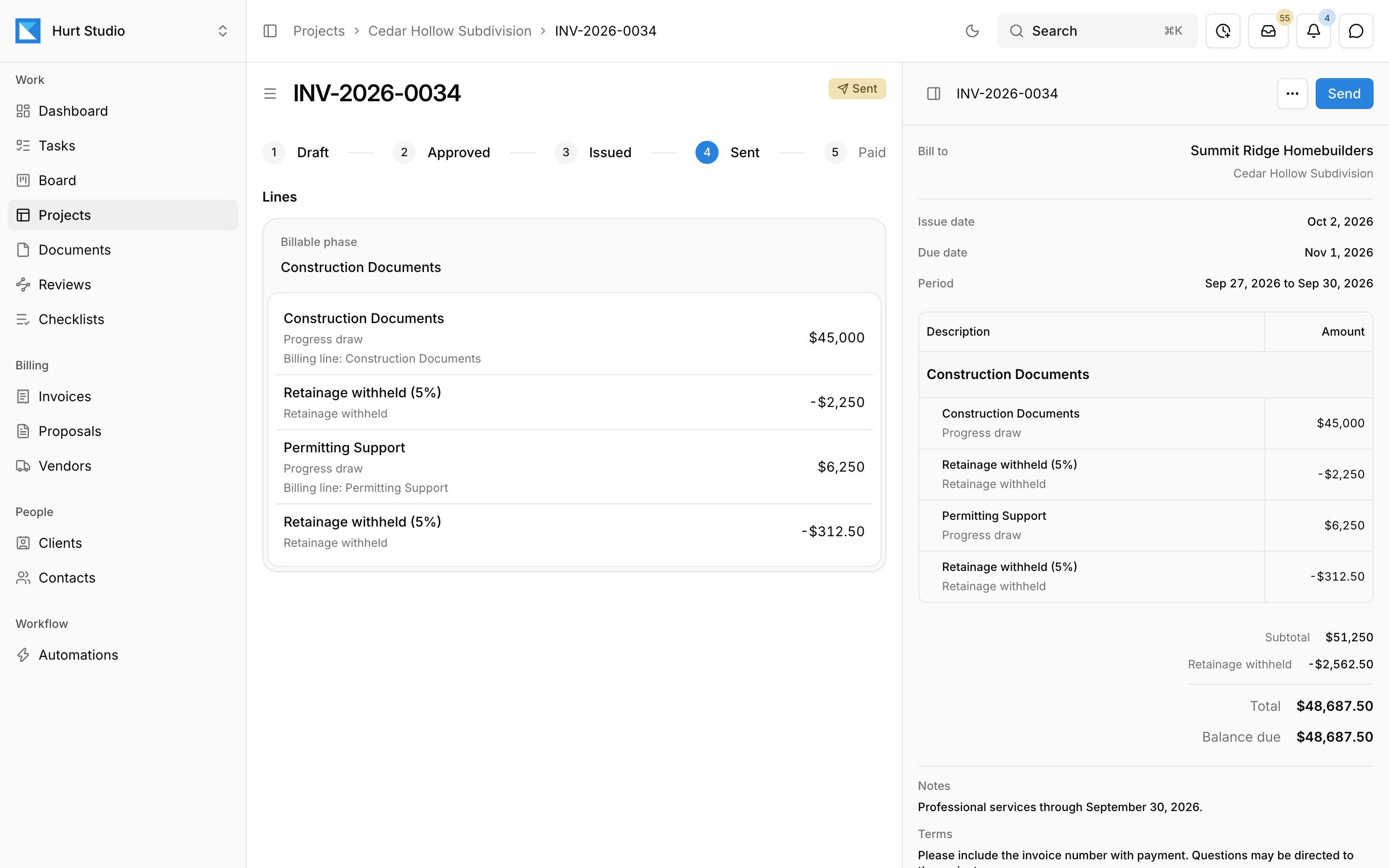
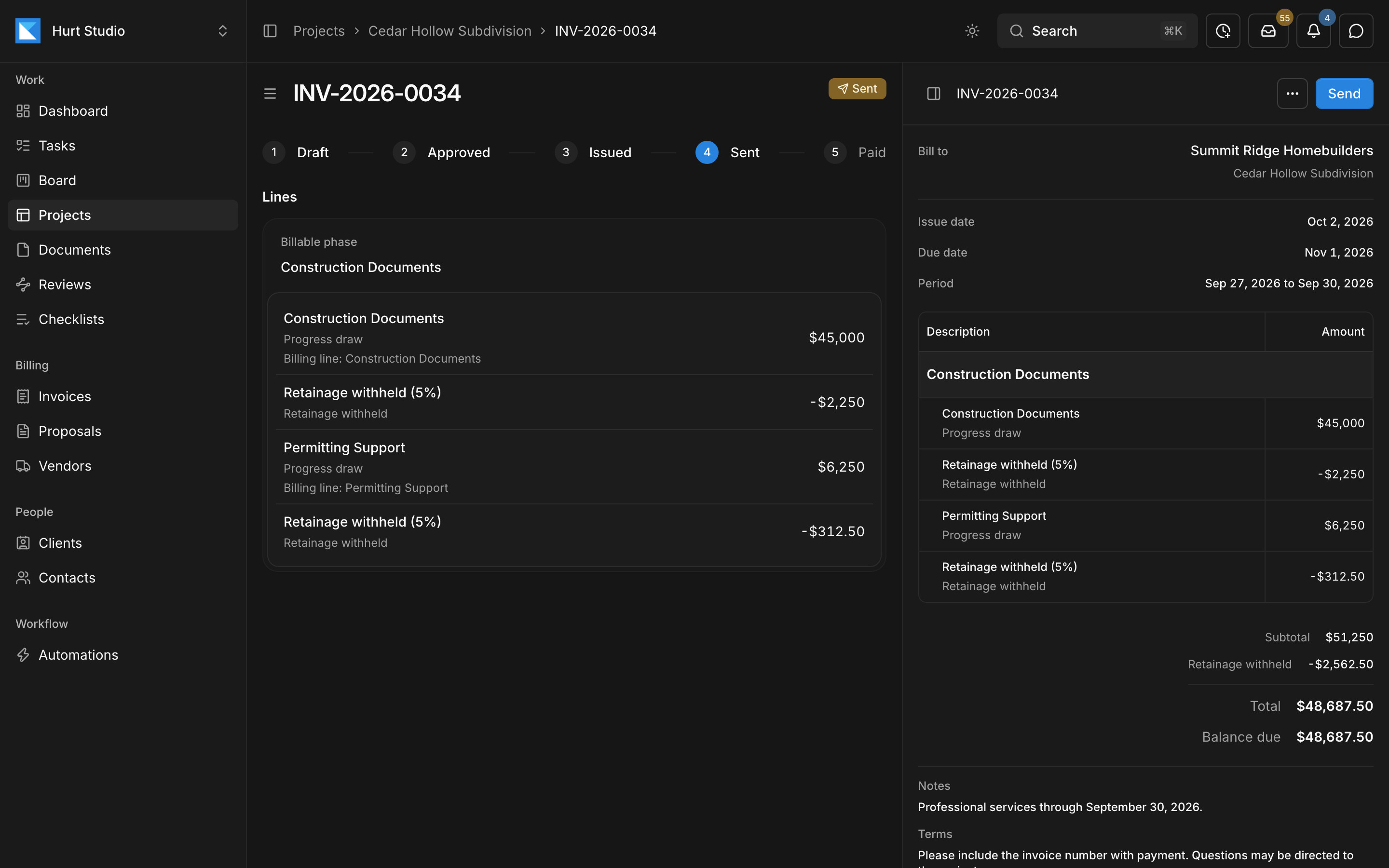
- 1Invoices move from draft to approved, issued, sent, and paid.
- 2Progress draws are listed by billing line.
- 3Retainage is withheld at the contract's rate.
Give every project, client, and contact its own email address
Copy or forward mail to those addresses from any email account, and everything your team imports lands in one inbox for the firm. Kineo reads each message and its attachments, matches it to a project, and suggests the tasks and updates it asks for. Automations watching the inbox can draft the change order or proposal a client is asking for.
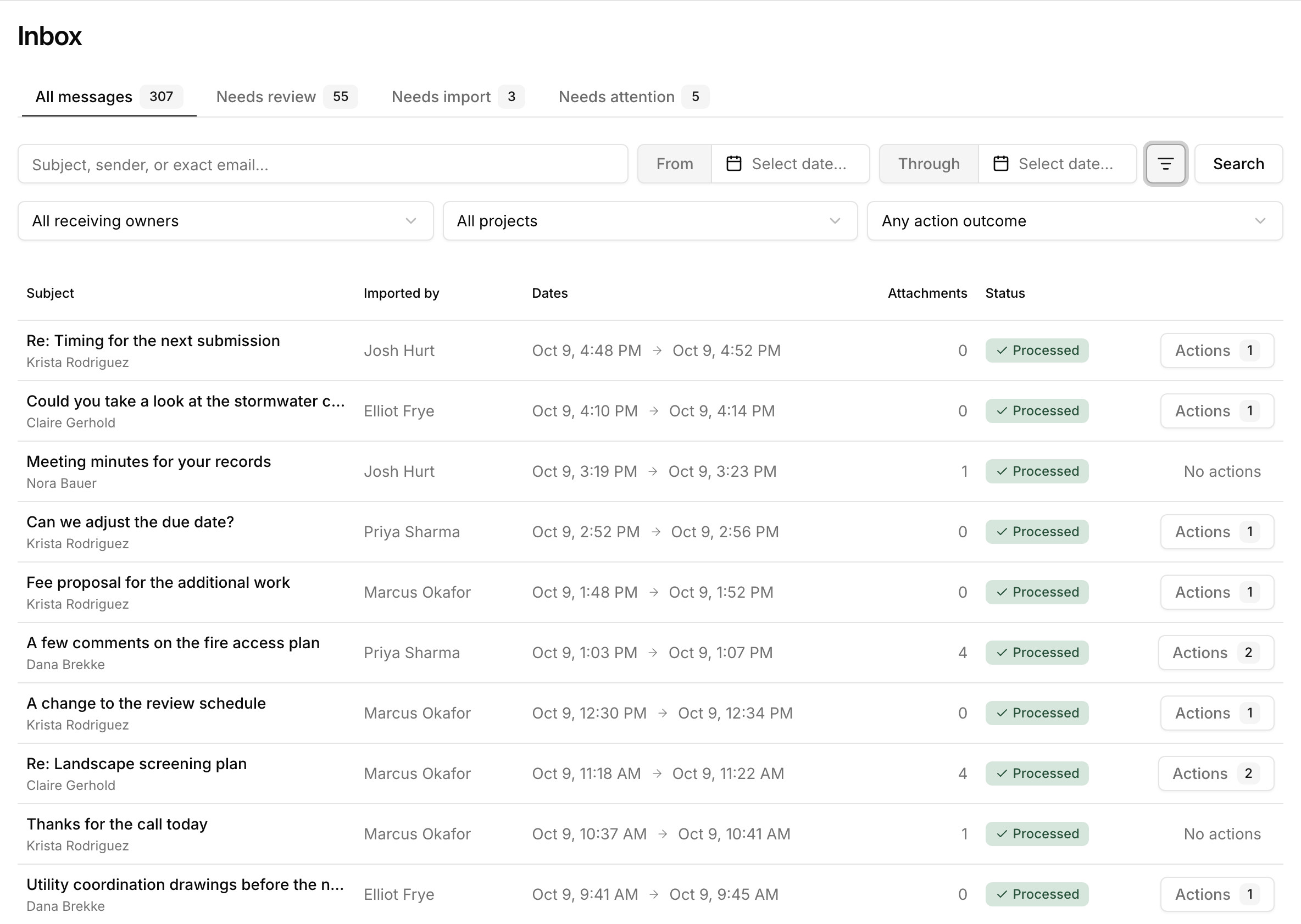
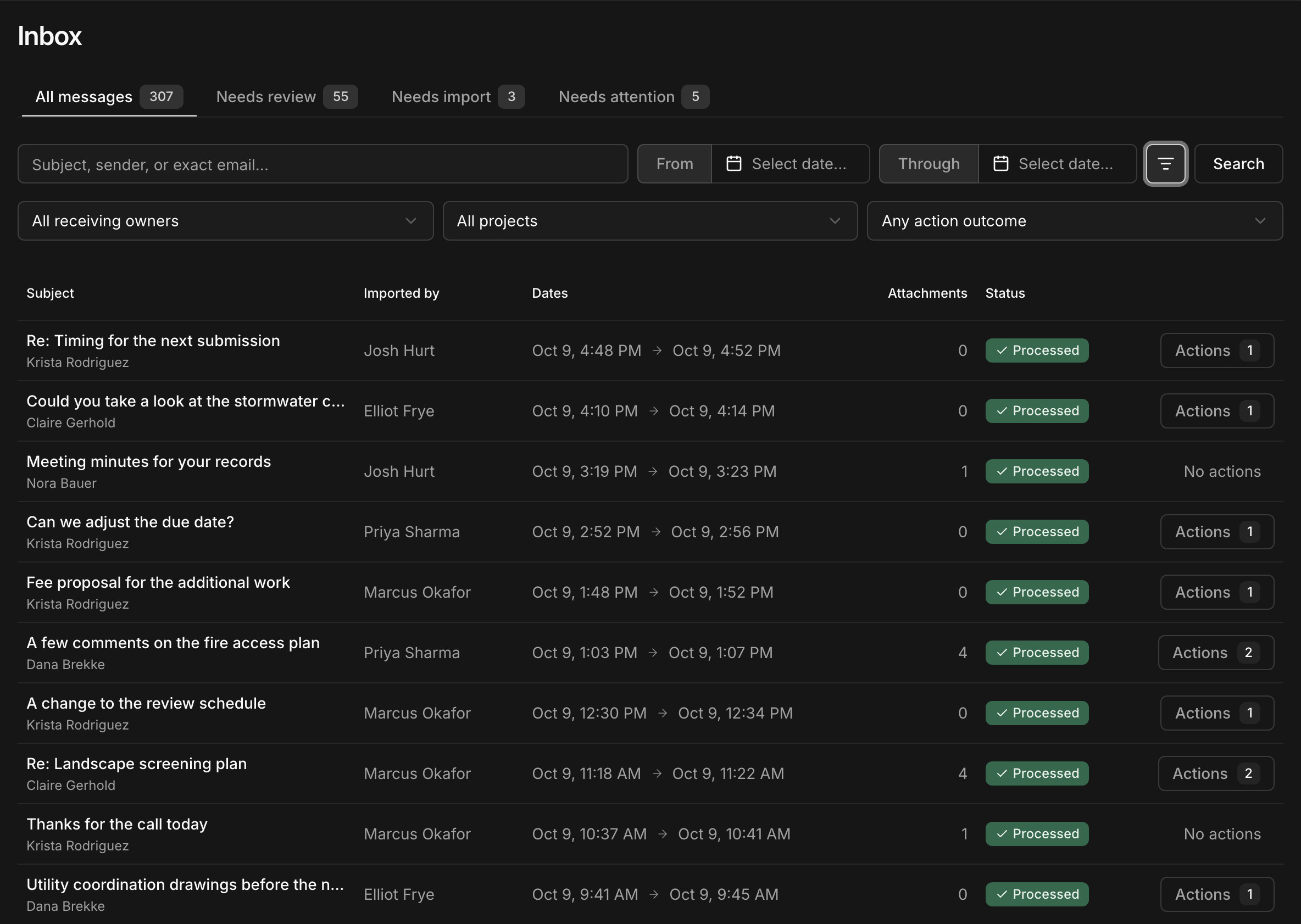
- 1Needs review lists the messages with suggested changes waiting for someone.
- 2Filter by the project, client, or contact address a message came to, or by project.
- 3Open a message's suggested changes to apply or dismiss them.
An assistant that takes routine work off your team
It works inside your projects, billing, and email, with the same permissions as the person using it. The proposals, change orders, and invoices it prepares stay drafts until someone on your team sends them.
Ask about any job
Ask which phases are close to their budget, what a client's last email asked for, or who has the most open work. It answers from the same records you can see.
Draft and set up
Have it draft a proposal, change order, invoice, or checklist template, set up phases and tasks, or enter a week of time from your notes.
Prepare work on its own
Describe an automation in your own words and Kineo shows each step it will take. It watches for client email, project events, and conditions, then prepares drafts, creates tasks, and emails your team.
Your team can also use Kineo from Claude, ChatGPT, or any assistant that supports MCP.
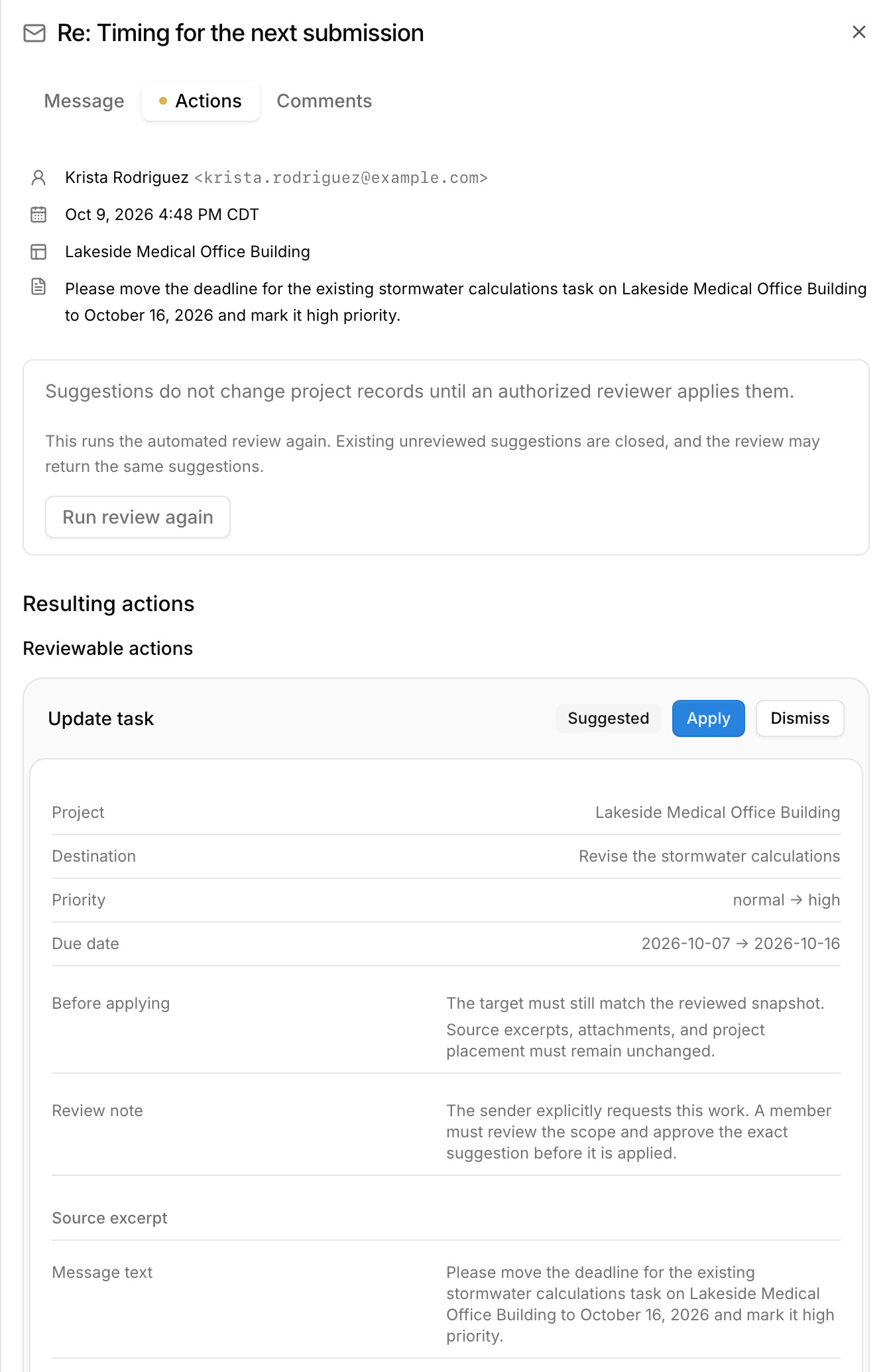
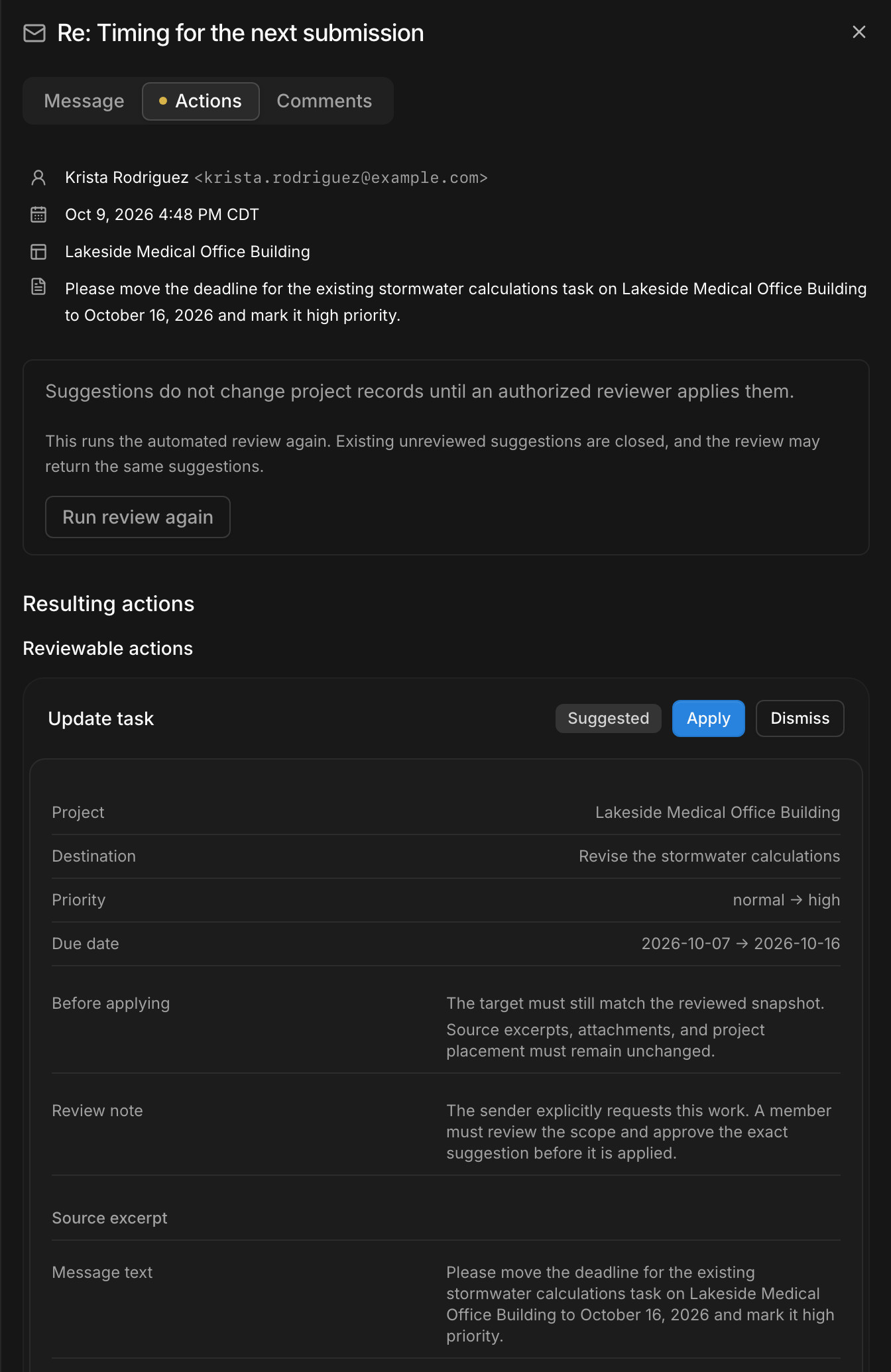
A client emails to move a deadline. The assistant suggests the change to the task's due date and priority, and nothing changes until someone applies it.
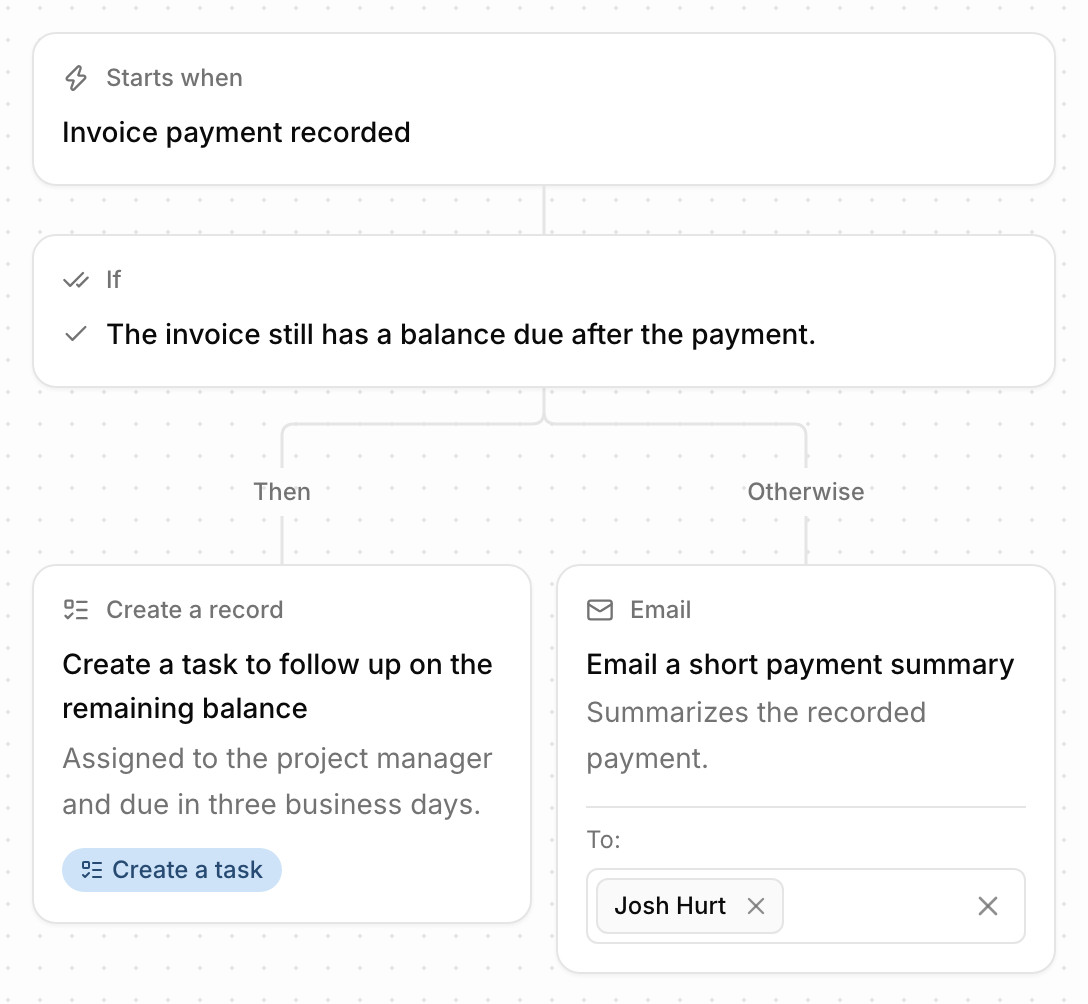
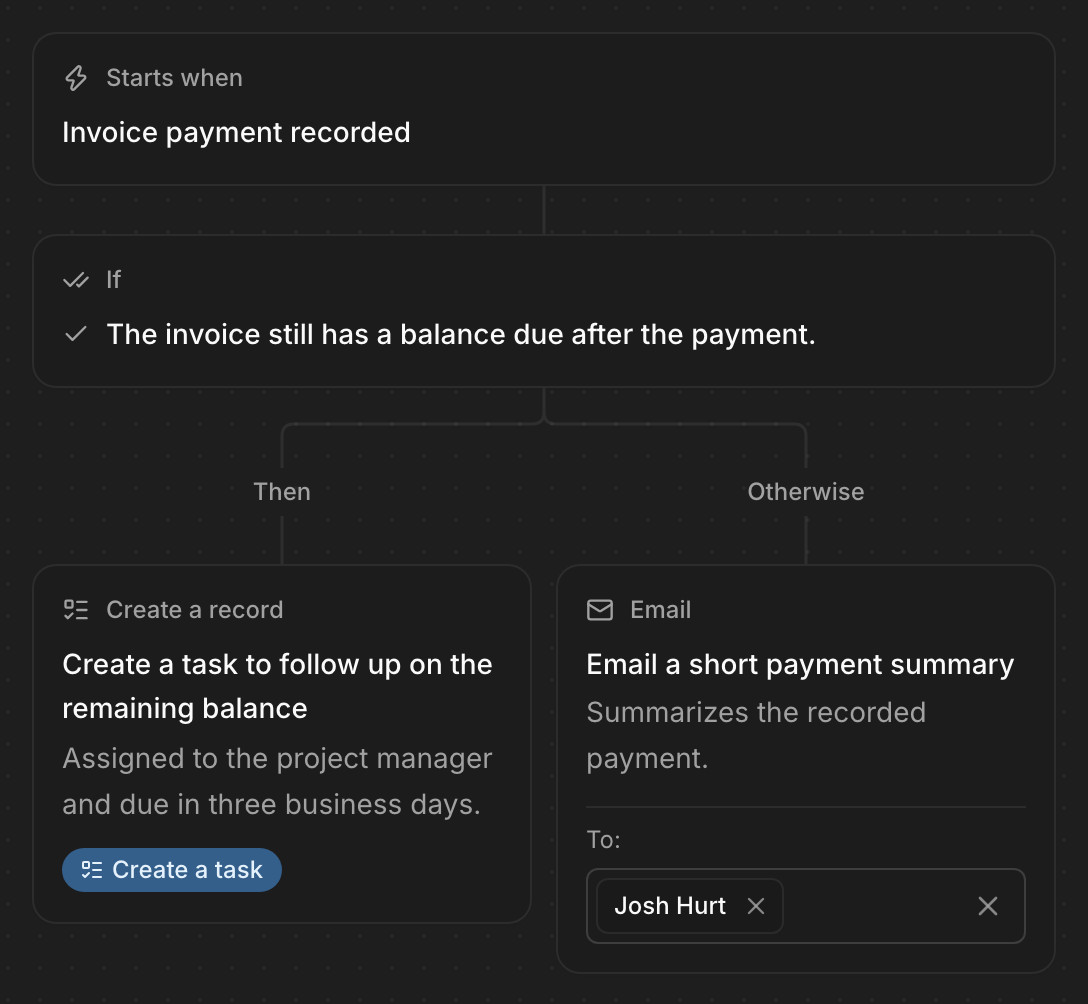
Kineo shows each step of an automation as you write it. This one creates a follow-up task for the project manager when a payment leaves a balance due, and otherwise emails a summary of the payment.
Modern software that works with the tools you already use
Kineo runs in the browser on any device, gets you anywhere with a keystroke, and keeps your data in formats you can take with you.
Search everything with ⌘K
Jump to any project, document, client, or email from anywhere in Kineo. ⌘E opens your timesheet.Works with Claude and ChatGPT
Connect any assistant that supports MCP, and it can work in Kineo with your account's permissions.Live updates
When the assistant, or one connected through MCP, changes a record, pages your team has open refresh on their own.Install it like an app
Kineo runs in the browser. Add it to your phone's home screen or your computer's dock, and it opens in its own window.Light and dark
Kineo follows your system's theme, or you can pick one.Your data in open formats
Export projects, documents, reviews, invoices, and more to CSV, Excel, PDF, or Markdown whenever you want.
Review drawings against your own checklists
Reviewers work through your checklist in the browser and mark up the sheet as they go. Each markup is filed under a checklist item, each item gets a decision, and any markup can become a task. Clients and agencies review through an emailed link without an account, and Kineo reminds whoever is holding the review.
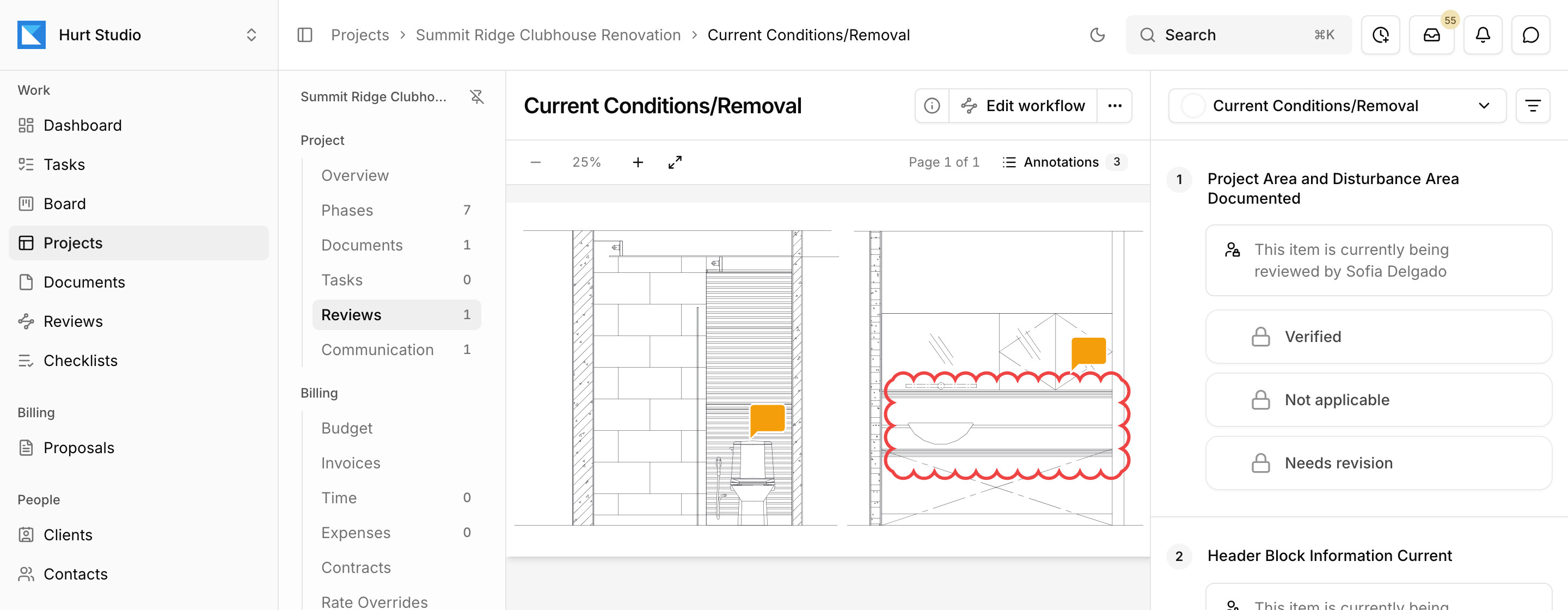
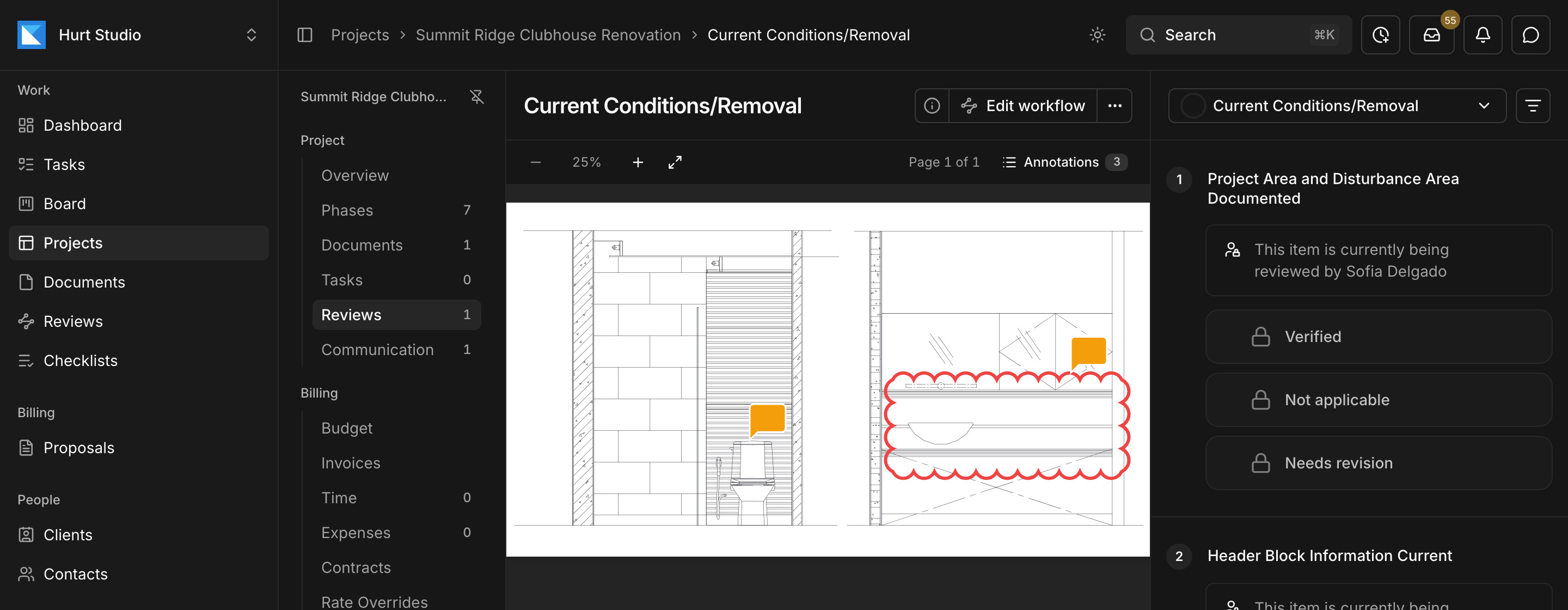
- 1Markups go on the drawing, and each one is filed under a checklist item.
- 2The reviewer marks each item verified, not applicable, or needs revision.
- 3The review sits inside its project, with the phases, tasks, budget, and invoices.
How a project moves through Kineo
- 1
Proposal accepted
The client accepts by typing their name, and Kineo sets up the client, project, contract, kickoff tasks, and a first draft invoice if you want one.
Accepted - 2
Client email imported
A client emails the project's own address. Once someone imports the message, the assistant reads it and its attachments and suggests tasks for the project.
Suggested - 3
Drawings reviewed
Sets go through checklist reviews with your team and any outside reviewers, and markups that need work become tasks.
In review - 4
Time approved
Your team submits weekly timesheets and expenses, and project managers approve them.
Approved - 5
Invoice drafted and synced
Kineo drafts the invoice from the contract and approved time. Once it's issued, it syncs to QuickBooks Online.
Synced
$29 per seat per month, with every feature included
There are no feature tiers. Team Plus, at $49 per seat, and Team Pro, at $79, include more assistant usage and storage. Outside reviewers and client portal contacts are free on every plan.
Built by Josh Hurt in Nashville
When you email, Josh is the one who replies. Questions, feedback, and feature requests go straight to the person who builds Kineo.
From the blog
Practical notes on running projects, billing, and reviews at engineering and architecture firms.
- Assistant
How to connect Claude and ChatGPT to your firm's projects and billing
What MCP is, how engineering and architecture firms can connect Claude or ChatGPT to their project and billing records, what to ask, and what to keep with your team.
· 5 min read
- Manage
How to prioritize tasks when you're managing multiple projects
A weekly routine for project managers at engineering and architecture firms who run several jobs at once, from keeping one task list to rebalancing the team's workload.
· 4 min read
- Bill
What construction administration involves for engineers and architects
What happens in the construction administration phase, why its fee so often runs out before the project does, and how firms track and bill it.
· 3 min read
Common questions
Try Kineo on a project you're working on now
Set up a project with its contract and phases, invite your team, and give the assistant some of the routine work. Your first 14 days are free, with every feature included.